
Partners
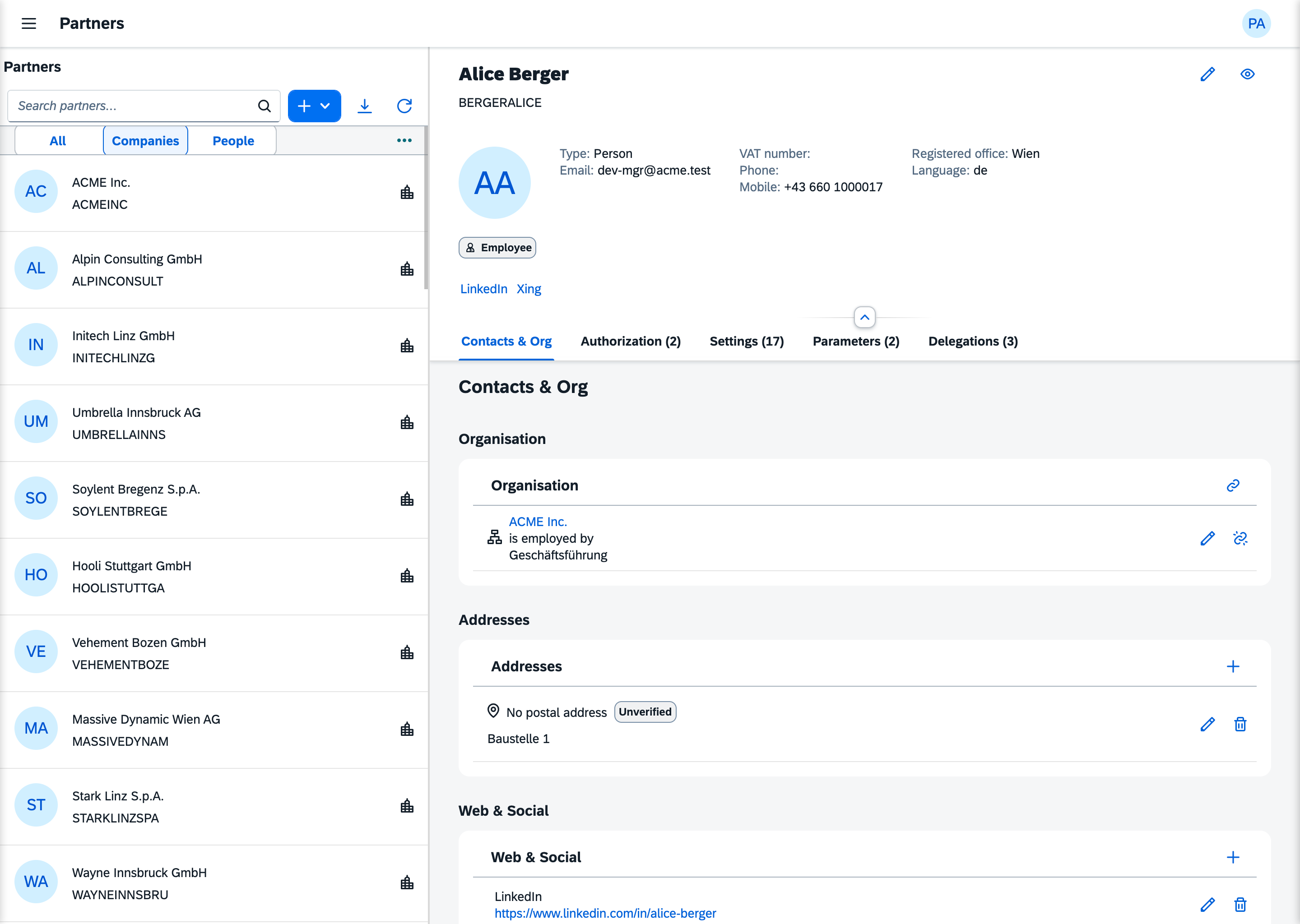
Everything the SDK authorizes is a partner: an organisation, a person or a department (PartnerType). Your customers' companies, their employees, your own organisation and the platform owner all live in one table, sdk_partners, behind one model, LaravelUi5\Sdk\Partners\Models\Partner.
A login is not a partner. Your users table stays yours and points at a partner through users.partner_id (Connecting Your User Model). A partner can exist without a login, like a supplier or a department, and gets one when someone creates it in the Partners app.
Four kinds of "role"
Around partners, the word "role" means four different things. Mixing them up costs an afternoon.
| Concept | Answers | Where it lives | Grants access? |
|---|---|---|---|
| System level | Where does this partner stand in the installation? | sdk_partners.system_level | No |
| Role | What may this partner do? | sdk_role_assignments | Yes, together with abilities and groups |
| Membership | Whom does this partner belong to? | sdk_partner_relationships, e.g. employed_by | No, but it scopes data |
| Partner role | What function does this partner have in the business? | sdk_partner_role_assignments, e.g. customer, supplier | No |
System levels
| Level | Value | Typically |
|---|---|---|
User | 1 | everyone who works with the apps |
LocalAdmin | 2 | the key user or local IT admin at the customer |
TenantAdmin | 3 | the onboarding consultant who sets up a tenant |
OperatorAdmin | 4 | the regional operator who runs the installation |
PlatformOwner | 5 | the organisation that owns the platform, the system actor |
The upper rungs exist because an installation is rarely run by the company that uses it. Someone implements it for them, someone operates it, and each of them needs their own place in the structure.
The system level decides how high a partner may write settings: the scope ladder runs Platform, Installation, Tenant, Site, User (Scope Precedence). It also decides which edit level applies. It does not open a single app. Access comes only from grants. The SDK declares one role per level under the same name (user, local_admin and so on), but assigning that role is a separate row in sdk_role_assignments.
Membership
A relationship connects two partners with a type. The subject is partner_id and the object is related_id, as in a person employed_by an organisation. The types are declared by the Partners module, and ui5:sync writes them: employed_by, owns, shareholder_of, member_of, successor_of and affiliate_of.
A partner can have one primary membership per type. The PartnerRelationship model refuses a second active primary for the same partner and type.
employed_by is the membership the runtime reads. SdkContext::primaryOrgPartner($at) returns the organisation the acting partner is primarily employed by at that moment. Without such a membership it returns null, and everything scoped to the actor's organisation shows nothing.
Partner roles
Business functions such as customer, supplier, bill-to or approver are partner roles. The SDK ships none. You declare them on your module with #[PartnerRole], and ui5:sync writes them as Customizing. An assignment can hold in a context, such as the approver for one project. Partner roles run parallel to authorization; they are not part of it.
Time-bound and attributed
Every relationship and every assignment carries valid_from and valid_until. The defaults are now and 9999-12-31 23:59:59. Each row also names the partner who granted it (assigned_by_partner_id, required). A partner who granted something cannot be deleted while those rows exist. Deleting a partner removes that partner's own relationships and assignments.
The Partners app
Local admins look after partners in the Partners app: profiles and addresses, memberships, logins, roles, group memberships and directly granted abilities. Tenant admins define the groups. The app opens for local_admin.
Where to go next
- Connecting Your User Model: the bridge from
userstosdk_partners - The System Actor: the platform owner and
ui5:intake - The First Seed: the people who must exist on day one
- Tenancy: one tenant per database