
Connecting Your User Model
The SDK authorizes partners. The login stays yours.
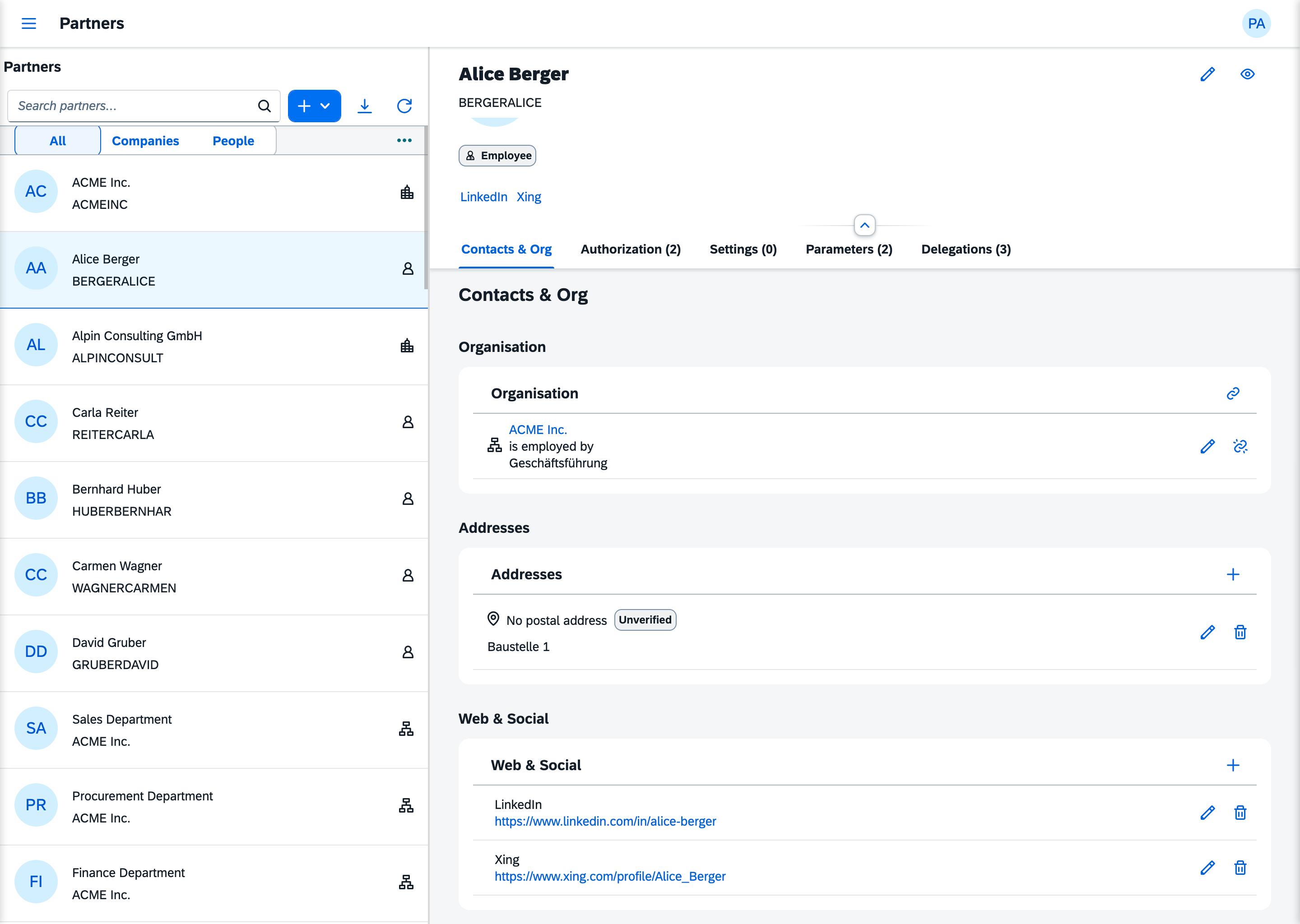
Partner and login object
In a plain Laravel app the user is the identity: roles, policies and ownership hang on the users row. In LaravelUi5 the partner is the identity. A login is a separate login object attached to a partner. It is optional, and a partner has at most one. A login object is created, locked, reset and deleted without touching the partner it belongs to.
That separation is what keeps the SDK open:
- Partners who never sign in are first-class. A supplier, a department or a customer's company has memberships and roles of its own.
- The sign-in mechanism is yours. The SDK owns no
userstable and no sign-in mechanism.laravelui5/auth, single sign-on or your own login all work, as long as the login object points at its partner. - Ending access doesn't erase the person. Taking someone's access away means deleting a login object. The partner and its history stay.
The bridge
Add the link to your users table. Installation shows the complete migration, including the login-state columns.
$table->unsignedInteger('partner_id')->nullable()->after('id');
$table->foreign('partner_id')->references('id')->on('sdk_partners')->nullOnDelete();
Then let the model implement the SDK's contract with the trait that ships with it:
use LaravelUi5\Sdk\Partners\Contracts\HasPartnerInterface;
use LaravelUi5\Sdk\Partners\Traits\HasPartner;

class User extends Authenticatable implements HasPartnerInterface
{
    use HasPartner;
    // …
}
HasPartnerInterface asks for one method, partner(): ?Partner. The trait answers it with a belongsTo on partner_id. If your mapping is different (by email, through another column, or from an external directory), implement partner() yourself. That method is the whole contract.
What the SDK does with it
On every request to an app that requires sign-in, the SDK builds its context from the signed-in user:
| Situation | Response |
|---|---|
| No one is signed in | 401, AuthenticationException |
User does not implement HasPartnerInterface | 500, PartnerIntegrationException: a setup error |
partner() returns null | 403, NoPartnerContextException |
The partner it finds is the principal. Normally the principal is also the actor, the partner the request acts as, and abilities are computed for the actor. Under impersonation the actor is someone else.
Creating a login object
A local admin creates login objects in the Partners app. Until a partner has a login, its Login section reads "No login is associated with this partner." Create Login asks for two things:
- the email the person signs in with, unique across
users - an initial password of at least eight characters
The new login is active and flagged for a password change at the next sign-in. A partner holds at most one login, so the app offers Create Login only while there is none.
From then on the Login section shows the state, active or locked, and whether a password change is due. It offers three actions:
- Lock login marks the login as locked.
- Reset password sets a new initial password and flags the change again.
- Delete login keeps the partner but ends its active roles, groups and abilities. Without a login they are unreachable anyway. Ending them rather than deleting them keeps the audit trail, and a login created later starts without inheriting them.
The section also has room for the last sign-in and a sign-in count, from last_login and login_counter. The SDK does not update these two on sign-in. They stay empty unless your login flow writes them.
All of this is the record of a login. The SDK writes and shows it; it does not sit in the sign-in. Keeping a locked login out, sending a flagged user to change the password, counting a sign-in: those are your login path's part (What the SDK does not do).
Behind the app: LoginProviderInterface
The Partners app writes login objects through LoginProviderInterface. The default, EloquentLoginProvider, uses the model configured in auth.providers.users.model and the four login-state columns from the migration: login_counter, is_locked, last_login and must_change_password. If your logins live somewhere else, such as an identity provider or another table, bind your own provider, and the Partners app creates login objects there.
The partner resolver
PartnerResolverInterface has one method, resolveById(int $id): ?Partner. The SDK uses it for exactly one thing: finding the impersonation target. The default, DefaultPartnerResolver, looks the id up in sdk_partners.
Rebind it in the container to limit who can be impersonated. A null answer turns the attempt into a 403. To switch impersonation targets off completely, bind the NullPartnerResolver that ships with the SDK:
// app/Providers/AppServiceProvider.php, in register()
use LaravelUi5\Sdk\Partners\Contracts\PartnerResolverInterface;
use LaravelUi5\Sdk\Partners\NullPartnerResolver;

$this->app->singleton(PartnerResolverInterface::class, NullPartnerResolver::class);
There is no config key for it; the binding is the switch.