
The Settings App
The SDK ships a console for settings. Administrators see every setting the installation declares and what it is set to at each scope. They change it where their authority reaches. No code is needed: the app shows what ui5:sync stored from your declarations.
It opens for partners with the settings-admin ability, which comes with the local_admin role. It sits in the navigation rail, and its tile is on the Launchpad.
On the Launchpad
The tile declares its place in the Launchpad's catalogue: Analytics & Intelligence → Data Management. The Launchpad lists its tiles flat today, ordered by weight. The catalogue's tabs come later.
Three columns
The app is a flexible column layout.
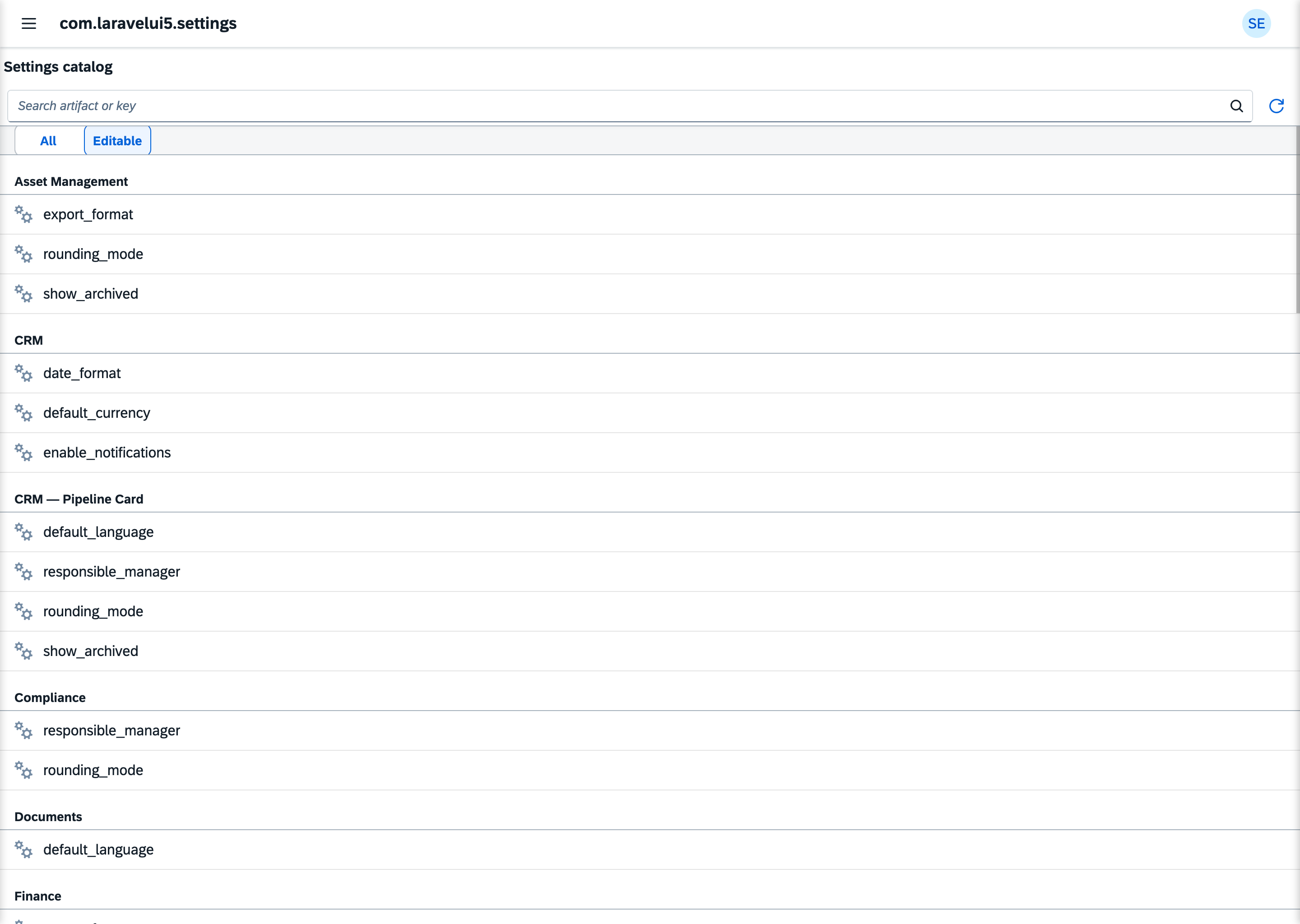
The catalogue. Every declared setting, grouped by the artifact that declares it and sorted by key. A search field filters by artifact title and key. A switch shows all settings or only the ones you may edit. A setting whose level is above your edit level is marked Read-only.
The setting. Every stored value of the selected setting, at every scope: the Platform default, each shared override and every user's personal value. A row shows its scope, its owner, the value and who set it last. The owner of a User value links to that partner in the Partners app. Where your authority reaches, you edit or reset a row.
The edit. You choose the scope, and for a User value the partner it belongs to. The input follows the setting's type: a switch for a boolean, a number field, a date picker, a picker for a model. Saving and resetting pass the same checks as every change (Who may change a setting). A refused change shows its reason.
What your code contributes
| In your code | In the app |
|---|---|
#[Setting] on an artifact | a row in the catalogue, under the artifact's title |
its type | the input |
its level | editable or Read-only, per administrator |
#[ForSetting] on a value help | the picker for a Model setting |
#[ForSetting(namespace, key, scope)] goes on a value-help artifact. It names the setting by its artifact's namespace and its key, and the value-help scope the picker opens with. One value help can serve several settings.
What it doesn't do
- It doesn't show a setting's
note. The note stays in your code. - It can't edit array settings. Settings of the types
StringArray,IntegerArray,FloatArray,BooleanArrayandModelArrayare listed, but the app has no input for them yet. - It doesn't show Core's slot settings (
slot.*). Per-partner slot values are set in the Partners app. - It isn't for users' own settings. It opens for administrators only. A profile in the Launchpad, where users change their own settings, is planned.
- It can't be switched off by configuration. To keep it from someone, don't grant them
local_admin.
Linking to a setting
The app owns the Weave concept laravelui5.setting. Another app opens a setting's detail with the reference {artifactNamespace}/{setting}. The Partners app links its Settings tab this way.
See also
- Reading & Writing Settings: how your code reads a setting
- Scope Precedence: which value wins
- Type Validation: what a value must look like