
Navigation
LeanShell navigation is composed from contributors that each fill one slot of a fixed navigation shape. The shell assembles them into the navigation key of context.json and projects it against the actor's abilities before the frontend renders it.
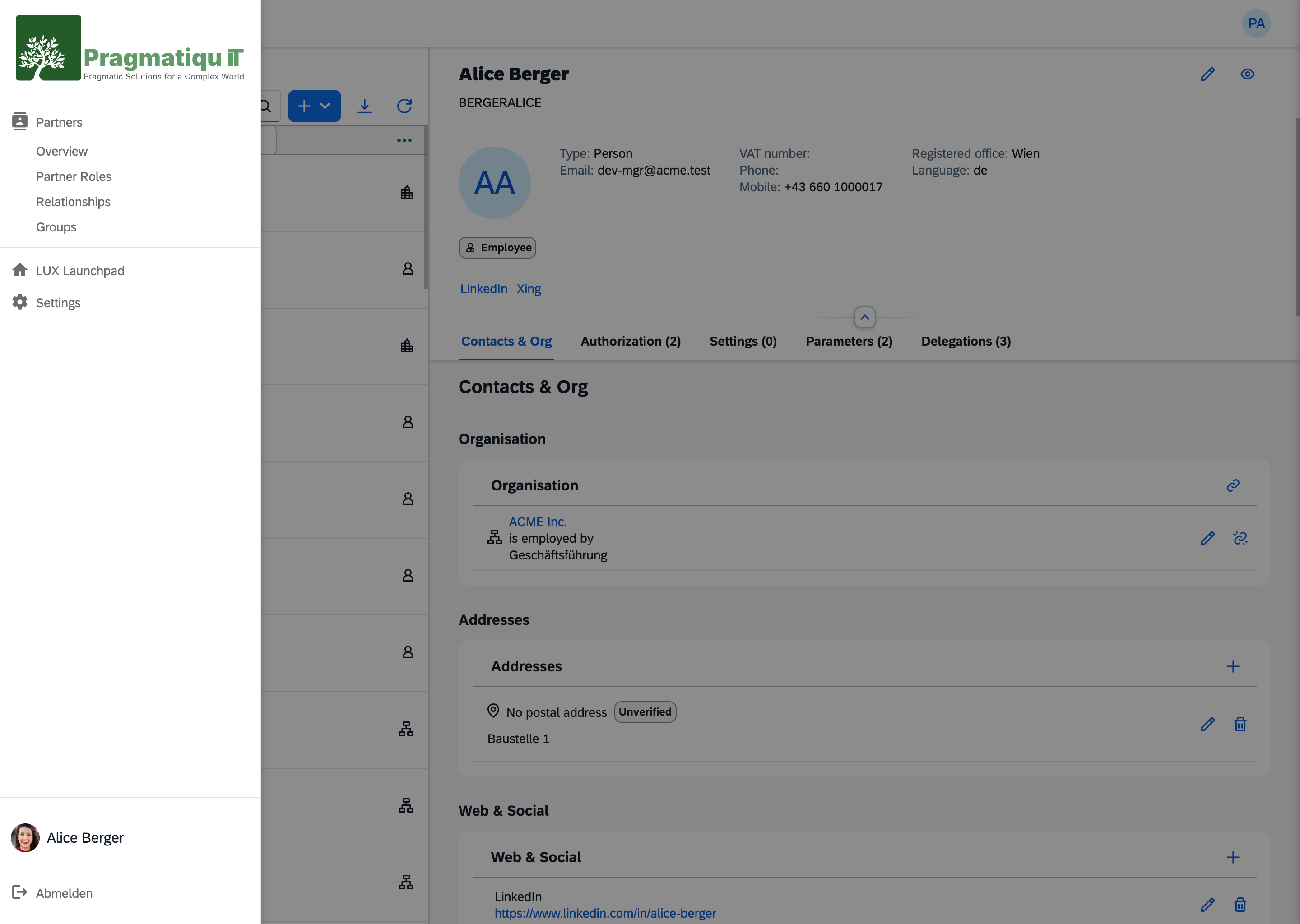
The navigation shape
NavigationContextContributor composes four config-declared slots:
{ branding, body, identity, footer }branding,identity,footerare each a single contributor.bodyis a list of contributors — the navigable entries themselves.
The slots are wired in config (each slot names a class + optional config), so a host swaps a slot's implementation without touching the assembler. The SDK ships five built-in contributors under Shell\Navigation\Contributors:
| Contributor | Slot | Contributes |
|---|---|---|
AppNavigationContributor | body | installed, accessible UI5 apps |
MainNavigationContributor | body | top-level structural entries (Home, Dashboard, …) |
BrandingNavigationContributor | branding | logo, product name |
IdentityNavigationContributor | identity | avatar, and the impersonation entries (impersonate.<id>, impersonate.stop) |
FooterNavigationContributor | footer | sign-out |
Each contributor emits its own DTO — Entry, Identity, Branding, Avatar.
Visibility projection
Navigation is visibility-projected. Each Entry carries an ability_id, and the NavigationProjector filters entries by the actor's abilities (the Security snapshot) before the tree is exposed. This is an optimization — the real enforcement is the middleware and dispatch-time checks — but it keeps the rendered menu honest.
An entry that carries no gate is shown to every signed-in actor. That is the same rule the permission levels state for artifacts: an app without #[Access] is open, and its navigation entry is too. Projection removes what the actor may not open; it does not require a grant for what nobody gated.
Entry is a final readonly DTO; its ability_id is set at construction (there is no setAbilityId() mutator). Custom body contributors construct Entry directly.
The route rule
Navigation labels, titles, descriptions, and icons must be bound to routes, not views.
A navigation entry represents a navigable location, not a UI implementation detail. In UI5 apps the semantic unit of navigation is the route, not the view:
- Routes represent entry points and navigation intent.
- Views are implementation details — reused by multiple routes, renamed in refactors, replaced without affecting navigation.
- A single view can be rendered by different routes with different semantics.
Binding navigation metadata to views couples UX text to technical structure and breaks every time a refactor moves a view.
i18n: the route.* contract
Every navigable artifact declares its own texts under route.<key>.*, in its own i18n bundle. Four properties, one of them required:
| Property | Required | What it is |
|---|---|---|
route.<key>.label | yes | the text of the rail entry |
route.<key>.title | no | tooltip, and the page header where one is rendered |
route.<key>.description | no | the longer line, for search results and overviews |
route.<key>.icon | no | app entries only — see below |
route.app.label=Users
route.app.title=User Administration
route.app.description=Accounts, roles and group membership
route.app.icon=people

route.usersList.label=Overview
route.usersList.title=All users
route.usersList.description=Manage user accounts
What <key> is
NavigationBuilder walks three kinds of entry, and each derives its key differently:
| Entry | <key> | Example |
|---|---|---|
| the app itself | the literal app | route.app.label |
| a parameterless route | the route name from manifest.json | route.usersList.label |
| a dashboard or a report | the artifact's full namespace | route.com.acme.users.dashboards.overview.label |
The route name — not its pattern, not its target, not its view. That is the route rule above, applied: the name is stable, explicit, and intentionally chosen.
A route that declares parameters is not a navigable location, gets no entry, and therefore needs no keys. Detail routes, dialogs and actions fall out by the same rule.
Nothing resolves implicitly
There is no fallback. A missing label renders literally, in the rail, as:
Missing i18nKey route.usersList.label for app com.acme.usersThat is deliberate, and it is worth understanding before you reach for a patch:
- Navigation owns the
route.*namespace and stays independent ofsap.appmetadata. It does not fall back toappTitle/appDescription. - The contract stays uniform across all three entry kinds.
- A rail label may legitimately differ from — usually be shorter than — the app title.
For the same reason, an app's own entry (route.app.label) and its landing route's label (route.<routeName>.label) are independent nodes. They may coincide for a single-view app, or read distinctly — app Partners, landing route Overview — which usually reads better in a rail.
Icons: Material Icons, and only on the app entry
.icon takes a Google Material Icons ligature name: lowercase, underscored — people, dashboard, dns. The shell renders it through its <lux-icon> element, which binds the classic Material Icons webfont. Two consequences:
- Never
sap-icon://. That protocol belongs to UI5, and the rail is not UI5. - A ligature that the font does not carry renders as its own literal text — not as a blank, not as a fallback glyph, but as the word
dashbaordsitting in your sidebar. The failure is silent server-side:ui5:navresolved a value, so nothing reports it. The published codepoint list is a useful lower bound, but it is not authoritative for what the Google Fonts endpoint actually serves — names absent from it may well render. Look at the rail before calling an icon done.
Only the app entry carries an icon. Everything below it — routes, dashboards, reports — renders as a secondary entry in the same rail, and a column of icons there fills the sidebar without orienting anyone. Author route.app.icon; leave .icon off every other key.
Which bundle is read, and when
Labels resolve per app, from the app's own bundle — and from the base bundle (i18n.properties), because navigation resolves without a locale. Author the keys in every locale sibling you ship (i18n_en.properties, i18n_de.properties, …) so the in-app surface stays consistent, but know that the rail reads the base file.
The sharp edge is which copy of that bundle is read. A packaged app is read from its published resources/ui5/i18n/. An app under a workspace source strategy is read from webapp/ in the browser and from dist/ on the command line — so the keys you just typed into webapp/ are invisible to ui5:nav until the app is built. The order is therefore fixed:
# 1. author the keys in webapp/i18n/*.properties
npm run build                       # 2. webapp/ -> dist/
php artisan ui5:app <Name> --refresh # 3. dist/ -> the module's resources/
php artisan ui5:nav                  # 4. compile the navigation cache
ui5:nav does not fail on a missing key — it bakes the fallback string into the cache. So verify by reading the cache, not by trusting the exit code:
grep -o "Missing i18nKey[^']*" bootstrap/cache/ui5-nav.php | sort -uEmpty output is the pass. Re-run this after adding or renaming any route.
The logo and the name beside it
The sidebar's mark and product name come from a candidate chain, not from a setting. BrandingNavigationContributor walks the classes listed under ui5.context → navigation → branding → ci and takes the first one that returns a result:
public function resolve(SdkContext $context): ?array
{
    return ['name' => 'Contoso', 'logo' => '/assets/ci/contoso.svg'];
}
A candidate implements CiCandidateInterface, returns name and logo together, or returns null to pass. Partial answers are refused — a candidate that returns one key without the other is a LogicException, because half a brand is worse than none. The home list works the same way for the target the logo links to, through HomeCandidateInterface.
A fresh install shows our branding
The chain ends in SaaSBrandingCandidate, which resolves unconditionally to Pragmatiqu IT GmbH and the logo ui5:publish seeds at /assets/ci/logo.svg. It is a placeholder and deliberately looks like one: the company name beside the company mark reads as nothing configured yet, where a product name beside it would read as a choice somebody made.
Replacing it is the expected step, and there is nothing to unregister:
// config/ui5.php — your candidate goes first; the default stays as the fallback
'branding' => [
    'class'  => BrandingNavigationContributor::class,
    'config' => [
        'ci'   => [\App\Ui5\ContosoBranding::class, SaaSBrandingCandidate::class],
        'home' => [SaaSHomeCandidate::class],
    ],
],
Because the last candidate always answers, the sidebar can never end up blank — so a host is free to write a candidate that applies only sometimes (per domain, per tenant, per environment) and let the default catch the rest.
Where this is going
The tenancy model says the tenant should feed the branding, and today it does not — the chain is config-driven and knows nothing about tenants, which is why a multi-tenant host has to write a candidate that resolves the tenant itself. Making that the built-in behaviour is planned; Tenancy states the current limit.
Customizing navigation
Navigation is config-declared, so customization is a config change plus a class:
- Implement the contributor contract in
src/Shell/Navigation/Contracts/(a body contributor returnsEntryDTOs; a branding/identity/footer contributor returns its slot's DTO). - Point the relevant slot in config (
branding/body/identity/footer) at your class.
For a wholesale replacement, rebind NavigationServiceInterface (default DefaultNavigationService; CachedNavigationService is the cached variant) in your AppServiceProvider.
See also
- LeanShell Overview — the shell service contract rules
- Context API — the
navigationkey incontext.json ui5:navcommand — compiling the navigation cache- Service Provider Reference — overriding navigation